



Getting set up and getting the best from your purifier
Whether you've just unboxed it or you've had it a while and want to fine-tune things - placement, filter care, night time use, and troubleshooting all in one place.
Select your model below for information tailored to your purifier.
That new filter smell
When you first run a new purifier, you might notice a slightly plastic or chemical smell coming through. This is completely normal and nothing to be concerned about.
It is a well-known characteristic of new HEPA filter media. The polypropylene fibres used to make the filter, along with the small amount of non-toxic adhesive used in the filter construction, can off-gas a little when air first passes through them. You will find this mentioned across HEPA filter products generally - it is not something specific to Smart Air.
If it is bothering you, two easy fixes:
- Leave the filter in the sun for a day or two. Remove it from the machine and set it outside in direct sunlight. UV and fresh air clear it quickly - this is the fastest method.
- Run the purifier in a well-ventilated space. A garage, laundry, or any room with windows open works well. Run it for 24-48 hours and the smell will be largely gone before you move it into the bedroom.
Either way, the smell fades quickly with regular use.

Leaving the filter in the sun for a day or two is the quickest way to clear any initial smell.
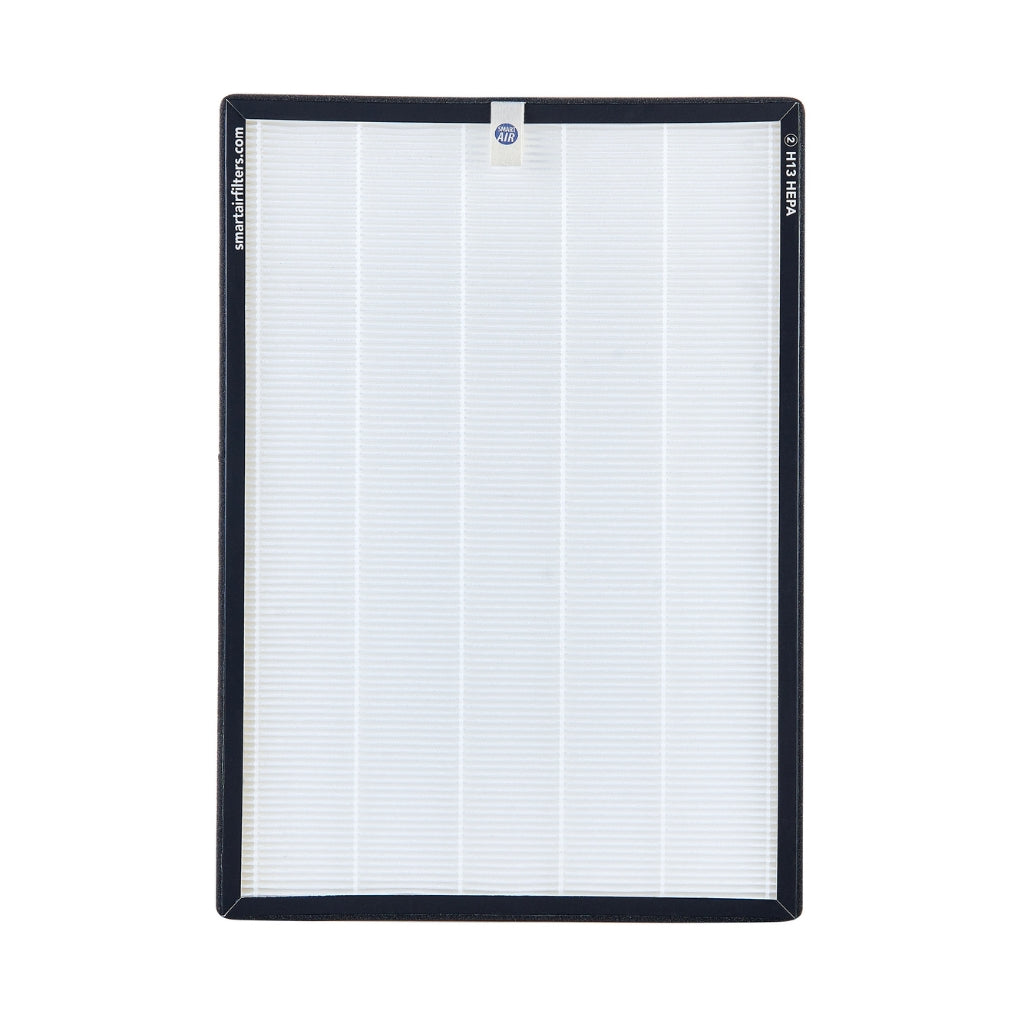
Make sure the plastic protective sleeve has been fully removed from your HEPA filter before running it. It peels off easily, and it is more commonly left on than you would expect - this is the number one cause of "it doesn't seem to be working".
SA600 owners: the SA600 has two filters, one on each side. Both sleeves need to come off - it is easy to remove one and miss the other.
Where should I put it?
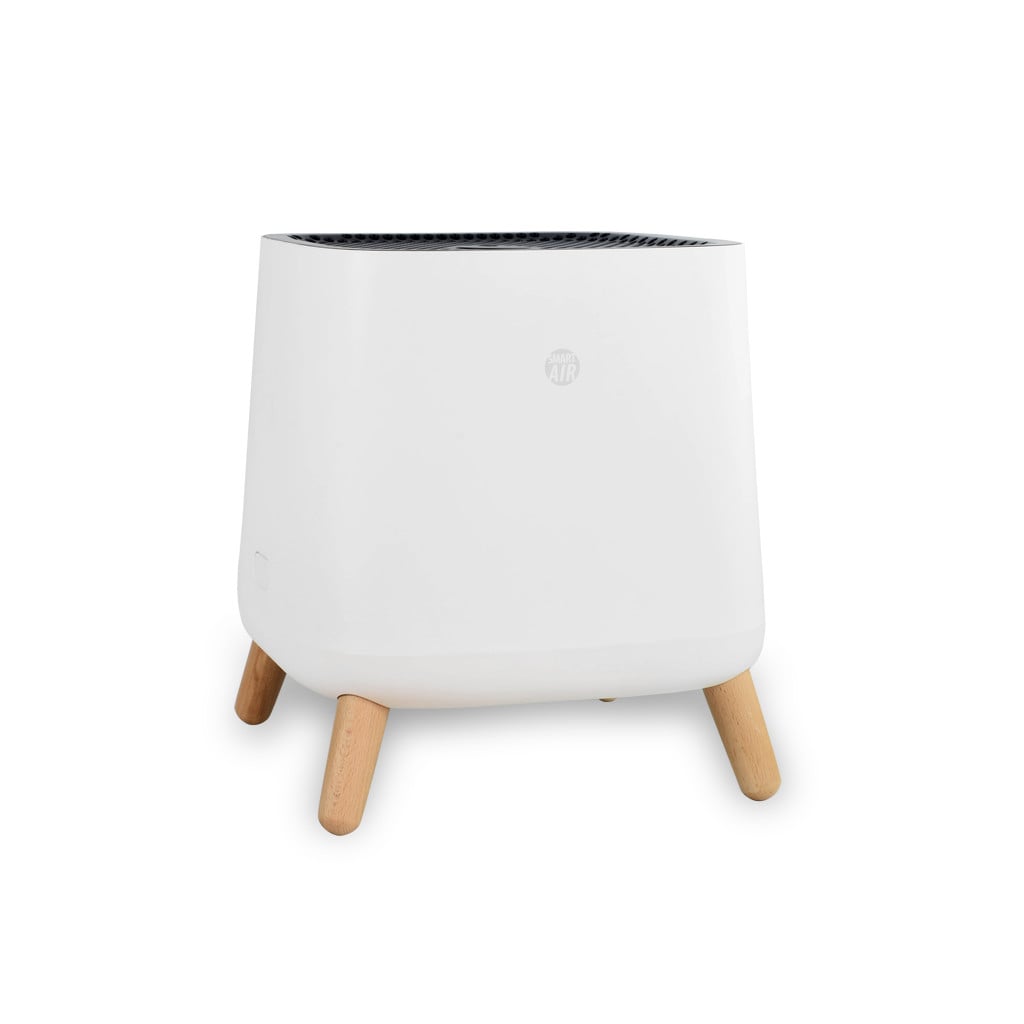
All Smart Air purifiers draw air in from the sides and push clean air out through the top. Give the unit breathing room, and put it where you actually spend time.
The QT3 creates a clean air bubble of around 1.2 m around you rather than purifying an entire room. The key with the QT3 is being near it - on a desk while you work, a bedside table while you sleep, or on your tray table when travelling. Room size and circulation matter less than proximity.
If your clip buttons or neck strap have come off or gone missing, we have spares. Just get in touch and we will sort you out.
Give it breathing room
Aim for around 20 cm or more from walls and furniture on the intake sides. It does not need to be perfectly central, but hemmed in on multiple sides means it pulls in less air. A bit against one wall is fine.
Follow your own movements
Running it in an empty room while you are elsewhere does not do much. The biggest benefit comes from putting it wherever you are spending time - lounge during the day, bedroom at night.
Floor or raised - both work
Floor placement is fine for most rooms. If you want cleaner air nearer your breathing zone (at a desk, for example), a table or shelf works too - just make sure the intake vents on the sides are not blocked.
Anywhere in the room works
It does not need to be right next to the bed - anywhere in the bedroom is fine. The air circulates through the whole room. Just make sure the intake sides are not blocked by furniture and the top exhaust is clear.
The Blast Mini and Blast are primarily designed for larger open spaces rather than bedrooms. They can work in a large master bedroom, but they are sizeable units - worth weighing up whether a Sqair or SA600 might suit a bedroom setup better.
Near the source when possible
If there is a specific source of pollutants - cooking smells, a pet's favourite spot, a woodfire - placing the purifier closer to that source helps it intercept particles before they spread across the room.
Run it in a mostly closed room
Keeping doors mostly closed while the purifier is running helps it maintain lower particle levels. It is not constantly pulling in air from the rest of the house, so it cleans up faster and stays cleaner for longer.
How often should I run it?
As often as you are in the room, ideally. These purifiers are designed to run continuously - the motors are brushless and built for 24/7 use without any issue.
Consistent use beats occasional bursts. Particles and allergens build up when the purifier is off, and cleaning a heavily loaded room takes longer than maintaining a clean one. Running it while you are home and off when you leave still gives good results - but leaving it going in occupied rooms is the easiest way to keep levels consistently low.
The QT3 is designed to travel and move with you - at your desk at work, in a hotel room, in a car or plane, or on your bedside table overnight. Because it purifies a personal zone rather than a whole room, the main thing is keeping it close to you and running when you are in that space.
The QT3 runs on battery for up to around 4 hours per charge on lower speeds. Plugging it in while in use extends runtime indefinitely, which works well for desk or bedside use.
Running costs are low. The Sqair on low uses around 6 W, the SA600 on Speed 1 uses just 3 W, and the SA700 runs at 12 W continuously. Even running 24/7, that is well under $30 a year for most models.
These units are built to run continuously. There is no harm in leaving them going around the clock, and running costs are minimal for most models in the range.
The QT3 works best when it is within about 1.2 m of you. Keep it on your desk, bedside table, or wherever you are spending time.
If you only have one purifier, move it with you through the day. Lounge in the morning, bedroom at night. You get the benefit wherever you actually are rather than leaving it running in an empty room.
Using your purifier while you sleep
The bedroom overnight is where most people notice the biggest difference. You spend 7-8 hours breathing the same air - keeping particle levels low during that time has a real impact, particularly for allergies, asthma, and morning congestion.
Keep the QT3 on your bedside table while you sleep for a cleaner air zone around you overnight.
This is not unusual and is not a sign something is wrong. Running the purifier can initially stir up settled dust and particles in the room before things settle down and levels drop. Most people who experience this find it passes after a couple of nights, after which they feel noticeably better. If symptoms persist beyond a few days rather than improving, it is worth checking placement and airflow.
SA600 on Speed 1
Quieter than a whisper. Most people cannot hear it at all.
Sqair on low
Very quiet. Comparable to a gentle fan at its lowest setting.
Blast on low
Surprisingly quiet for its output. Very comfortable for light sleepers in large rooms.
SA700 (always full output)
Runs at one speed. 42 dB will be audible - fine for those who sleep well with background sound, but worth considering if you are a light sleeper.
Getting a boost when you need it
If you want to give the room a quick clean before bed - after a dusty day or if the room has been closed up - running on a higher speed for half an hour or so and then dropping back to your normal setting works well. For day-to-day use, just leave it at your usual speed. Once a room is consistently maintained, the purifier does not need to work hard to keep up.
The SA700 runs at a single speed, so there is no speed to drop at bedtime. Running it through the evening gives the room a good baseline before sleep.
Keep the door mostly closed - with a note on CO2
Keeping the bedroom door mostly closed while the purifier runs helps it maintain lower particle levels - it is not constantly dealing with air from the rest of the house. A slightly ajar door is fine and actually preferable if the room has no other ventilation. A fully closed, unventilated bedroom overnight can cause CO2 to build up from your own breathing. A gap of a few centimetres, or a cracked window alongside the purifier, gives you the right balance: cleaner particles and enough fresh air exchange to keep CO2 from rising too high.
For more on overnight use, this guide covers it in detail.
When does my filter need replacing?
The visual check is the most reliable guide. Rated hours and countdown timers will never tell you as much as actually looking at the filter itself.
White to light grey
Plenty of life left. Pop it back in and set a calendar reminder to check in a couple of months.
Medium to dark grey
Working hard. If some areas are darker than others but it is not all-over dark, it is fine to keep going. Check again in a month.
Dark grey or black all over
Saturated. Airflow will be restricted. Time to swap it out.
How often should I check?
Set a calendar reminder to check at around 6 months. Filter lifespan varies significantly by model and environment - the visual check will always tell you more than a countdown. A few things shorten lifespan across the board: running 24/7 near a renovation, woodsmoke-heavy winters, multiple pets, or high-traffic rooms. The visual check beats any rated lifespan - if it looks black all over, replace it; if it still looks mostly grey, keep it going.
For model-by-model estimates, see our post on how often to replace your filter.
The filter light came on - does that mean I need to replace it?
Not necessarily. The filter indicator is a timer, not a sensor. It counts hours of operation and flashes after a set number of hours regardless of actual filter condition.
When the light comes on, do the visual check first. Pull the filter out and look at it. If it is still mostly grey (not dark grey or black all over), it has more life left.
To reset the SA600: hold the button underneath the flashing light for 4 seconds. The light will go off and the timer will restart.
To reset the QT3: refer to the button beside the indicator on your unit. Hold it until the light clears - check your quick-start card if you are not sure which button.
The filter indicator is timer-based. Always do the visual check before replacing - the light will often come on well before the filter actually needs swapping out.
The SA700 ships with E11 HEPA filters. You can upgrade to H14 filters for higher filtration - note that H14 reduces CADR from 720 to 490 m³/h, so the tradeoff is slightly lower airflow in exchange for finer filtration. For most home use the E11 filter is the right call; H14 suits higher-sensitivity environments. No filter indicator - do the visual check at 6 months.
What about the carbon filter?
Carbon works differently from HEPA. It does not change colour when it is saturated, so the visual check does not apply here. The guide is the smell test: while the filter is still keeping odours down, it is doing its job. Once you notice smells starting to get through that it used to handle, that is the sign it is ready for replacement.
How long it lasts varies a lot by environment. Lots of cooking, woodsmoke, VOCs, or off-gassing from a new build uses it up faster than a typical bedroom. There is no fixed timeframe that works for everyone.
More on how carbon filtration works: this article explains it in plain terms.
| Model | Filter indicator | Check method | Reset |
|---|---|---|---|
| QT3 | Timer-based light | Visual check at 6 months | Hold indicator button until light clears |
| Sqair | None | Visual check at 6 months | N/A |
| SA600 | Timer-based light | Visual check first, then reset if still good | Hold button under flashing light for 4 sec |
| SA700 | None | Visual check at 6 months | N/A |
| Blast Mini | None | Visual check at 6 months | N/A |
| Blast | None | Visual check at 6 months | N/A |
Not quite making a difference?
If you have been running the purifier for a week or two and have not noticed much improvement, here are the most common reasons. Work through them in order.
Check the plastic wrap is off the filter
This is the number one cause of "it does not seem to be working," and it happens more than you would expect. Open the unit, pull the HEPA filter out, and check whether the plastic protective sleeve is still on. If it is, peel it off completely and reinstall the filter.
The SA600 has two filters, one on each side. Both plastic sleeves need to come off - it is easy to remove one and miss the other.
Try a higher speed for a few days
Low speed is great for quiet overnight use in smaller rooms, but if your space is larger or you want to see results faster, bump up to speed 2 or 3 for a few days. This also works as a useful diagnostic: if you notice improvement at a higher speed but not on low, the issue is airflow coverage, not the unit itself.
Check the placement
If the unit is jammed into a corner or surrounded by furniture on multiple sides, it will not be pulling in as much air as it should. Move it somewhere with more room around the sides - even shifting it half a metre from a tight corner can make a noticeable difference.
Consider whether the trigger might not be airborne
HEPA purifiers capture airborne particles well. But if the cause of symptoms is dust mites in bedding, a mould source in a wall, or CO2 from poor ventilation, a purifier alone will not solve it. This is worth knowing either way - it tells you where else to look.
A purifier helps with
- Airborne dust, pollen and pet dander
- Mould spores and fine particles in the air
- Cigarette, cooking and woodfire smoke
- VOCs and odours (with a carbon filter)
- Reducing virus particle concentration in a room
A purifier will not
- Lower CO2 levels - that needs fresh air ventilation
- Fix a mould or damp source in walls or ceilings
- Remove dust mites from mattresses or bedding
- Eliminate strong embedded smells instantly
- Guarantee to resolve any specific medical condition
Get in touch and we will work through it with you. We would rather spend ten minutes on an email than have you end up with a unit that is not working for your situation. Reach us here.
Need a replacement filter?
We carry HEPA and carbon replacement filters for every Smart Air purifier in the range. Free shipping on orders over $100, with most filter orders arriving in 1-2 business days.